
Tech
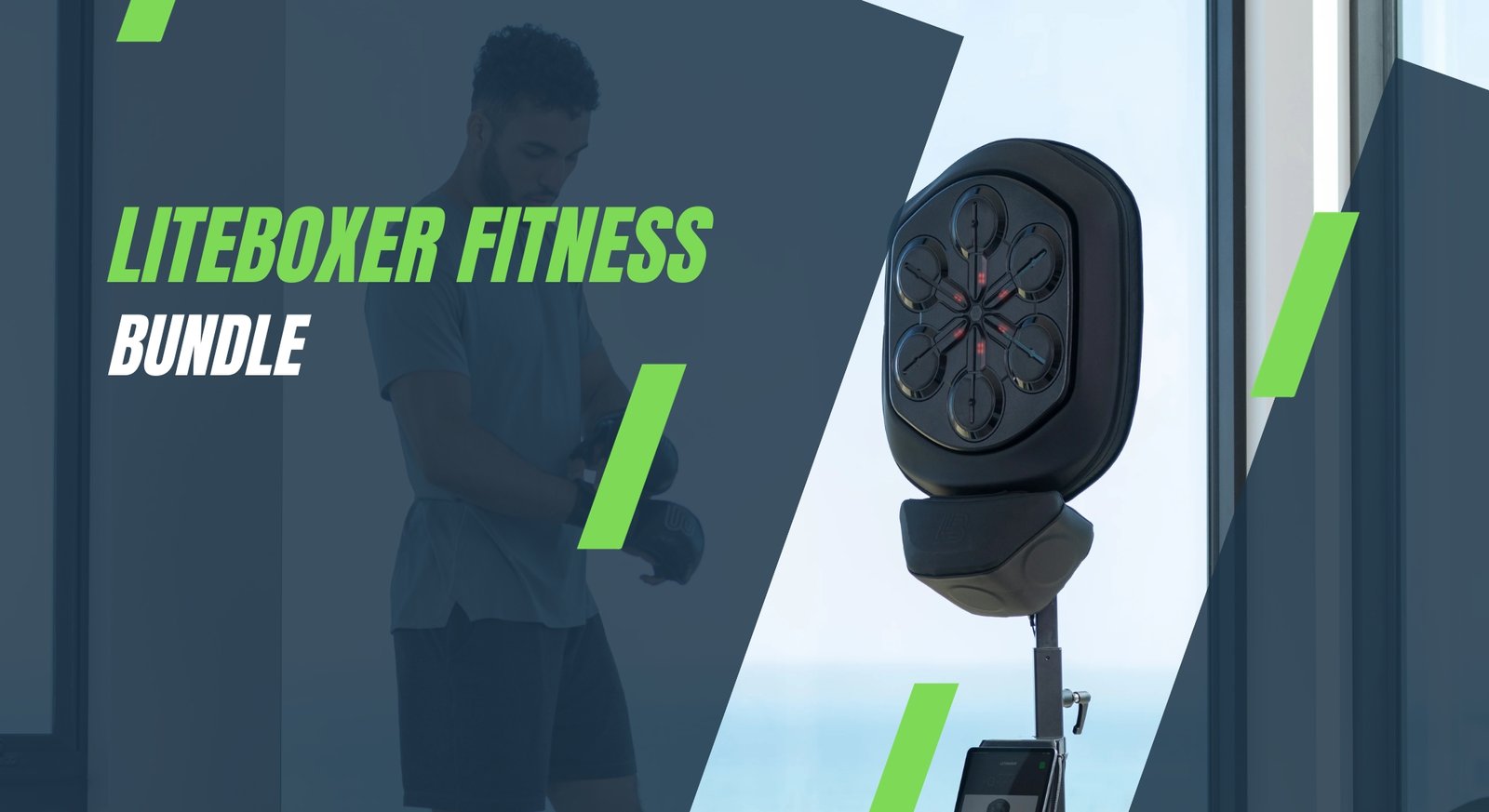
Liteboxer Fitness Bundle for Home Boxing Training

When Boxing Meets Smart Fitness
Home workouts have come a long way. What used to be a yoga mat in the corner of a room has evolved into fully immersive training experiences that rival boutique studios. Among these innovations, the Liteboxer Fitness Bundle stands out as something genuinely different. It is not just another piece of home gym equipment. It is a complete boxing-inspired fitness system that blends rhythm, technology, coaching, and intensity into one compelling package.
If you have ever wanted the energy of a boxing studio without the commute, the crowds, or the monthly gym frustration, the Liteboxer Fitness Bundle was designed with you in mind. This article takes a deep, honest look at what the bundle offers, how it performs for real home boxing training, and whether it deserves a place in your fitness routine.
What Is the Liteboxer Fitness Bundle?
At its core, the Liteboxer Fitness Bundle is an interactive boxing platform built for home use. It combines a freestanding smart punching target, integrated sensors, rhythm-based workouts, and on-demand coaching. However, calling it just a boxing machine would miss the point.
Liteboxer focuses on:
full-body cardio workouts
boxing technique without head impact
music-driven training sessions
data tracking and performance feedback
The bundle typically includes the Liteboxer unit, floor mat, boxing gloves, hand wraps, and access to digital training content. Together, these elements create a structured yet flexible home boxing training experience.
Why Boxing Works So Well for Home Fitness
Boxing has always been one of the most effective workouts available. It builds endurance, coordination, strength, and mental focus all at once. The challenge with traditional boxing gyms is accessibility and intimidation, especially for beginners.
The Liteboxer Fitness Bundle removes those barriers by offering:
guided instruction for all levels
non-contact boxing that protects joints
controlled pacing with music cues
privacy and comfort of home training
In addition, boxing workouts naturally burn calories at a high rate while keeping the mind engaged. You are not just counting reps. You are reacting, moving, and staying mentally sharp.
First Impressions and Setup Experience
Setting up the Liteboxer Fitness Bundle is surprisingly straightforward. The unit is sturdy, well-designed, and clearly built for repeated high-intensity sessions. Assembly takes time, but it does not feel overwhelming, even for users without technical experience.
Once set up, the system feels professional. The targets light up responsively, the base stays stable during hard punches, and the entire design encourages proper stance and movement.
This first impression matters. Many smart fitness products look impressive but feel fragile. The Liteboxer Fitness Bundle gives the opposite impression. It feels like a serious training tool.
How the Liteboxer Training System Works
Rhythm-Based Boxing Explained
One of the defining features of the Liteboxer Fitness Bundle is rhythm-based training. Instead of punching randomly, users follow light patterns synced to music. This approach turns each workout into a combination of boxing, dance-like rhythm, and cardio conditioning.
The benefits of this system include:
improved timing and coordination
higher engagement during workouts
clear structure for beginners
reduced boredom compared to standard cardio
Punches are scored based on accuracy, speed, and consistency, which adds a competitive element without feeling stressful.
Coaching and On-Demand Classes
The Liteboxer platform includes a growing library of trainer-led sessions. Coaches guide users through combinations, footwork, and conditioning segments. The instructions feel natural and motivating rather than robotic.
Classes range from:
beginner boxing fundamentals
advanced power and endurance sessions
HIIT-style workouts
music-focused rhythm boxing
This variety allows the Liteboxer Fitness Bundle to grow with you over time instead of becoming repetitive.
Full-Body Benefits of the Liteboxer Fitness Bundle
Although boxing is often associated with arms, the Liteboxer Fitness Bundle delivers a true full-body workout. Proper form requires engagement from head to toe.
Key muscle groups activated include:
shoulders, arms, and chest for punching
core muscles for balance and rotation
legs and glutes for footwork and stability
cardiovascular system for sustained endurance
Moreover, the constant movement improves agility, reaction time, and posture. Over time, many users notice increased energy levels and improved athletic confidence.
Smart Tracking and Performance Feedback
Modern fitness thrives on feedback, and the Liteboxer system delivers meaningful data without overwhelming the user. Each session tracks:
punch count
accuracy
speed
power output
workout duration
This data helps users monitor progress and stay motivated. Unlike simple calorie counters, the metrics here feel relevant to performance improvement.
Moreover, the Liteboxer Fitness Bundle encourages consistency rather than perfection. Progress is measured over time, reinforcing sustainable habits.
Who Is the Liteboxer Fitness Bundle For?
The beauty of this system is its broad appeal. It works for a wide range of fitness levels and goals.
The Liteboxer Fitness Bundle is ideal for:
home fitness enthusiasts
busy professionals with limited time
people bored with traditional workouts
boxing fans avoiding head impact
cardio-focused weight loss seekers
It may not replace heavy weightlifting for strength athletes, but as a primary cardio and conditioning tool, it performs exceptionally well.
Comparing Liteboxer to Traditional Home Gyms
Many home gyms focus on resistance training or basic cardio. The Liteboxer Fitness Bundle fills a unique gap by offering an emotionally engaging workout experience.
Compared to treadmills or stationary bikes:
Liteboxer feels interactive and dynamic
workouts engage both body and mind
time passes faster due to music and rhythm
motivation remains higher over weeks
This emotional engagement is often the missing piece in long-term fitness success.
Space Requirements and Home Compatibility
Despite its professional look, the Liteboxer Fitness Bundle fits well into most homes. It requires enough space for safe punching range and foot movement, but it does not dominate an entire room.
Users often place it in:
spare bedrooms
home gyms
basements
large living spaces
Noise levels are manageable, especially compared to dropping weights or running on a treadmill.
Subscription and Ongoing Content
Like many smart fitness platforms, Liteboxer includes a subscription for access to its content library. This ensures:
regularly updated workouts
new music and training styles
fresh coaching perspectives
While some users hesitate about subscriptions, the value lies in consistency and evolution. Static equipment often gathers dust. Dynamic content keeps engagement high.
Real-World Training Experience
Using the Liteboxer Fitness Bundle feels less like exercising and more like participating in a guided performance. Music drives momentum, lights guide movement, and feedback reinforces effort.
Sweat builds quickly. Heart rate climbs faster than expected. And yet, workouts feel shorter than they actually are. This psychological advantage cannot be overstated.
Many users report:
improved workout adherence
reduced workout anxiety
greater enjoyment compared to gyms
consistent weekly training routines
Safety and Joint-Friendly Design
Unlike traditional boxing with bags or sparring, the Liteboxer system minimizes joint strain. The targets absorb impact, and workouts emphasize form over brute force.
This makes the Liteboxer Fitness Bundle suitable for:
people returning from fitness breaks
older users seeking low-impact cardio
athletes cross-training safely
However, proper warm-up and technique remain important, as with any fitness program.
Long-Term Value and Durability
When evaluating home fitness equipment, longevity matters. The Liteboxer Fitness Bundle is built to last, both physically and conceptually.
The hardware feels durable, and the software-driven experience ensures relevance over time. Instead of replacing equipment, users upgrade their skills.
From a long-term perspective, the system offers:
consistent training variety
minimal maintenance
strong resale value
reduced dependence on gym memberships
Common Concerns and Honest Limitations
No product is perfect. The Liteboxer Fitness Bundle requires commitment to get the most value. Casual users who prefer passive workouts may not fully engage.
Other considerations include:
subscription costs
learning curve for rhythm timing
space requirements
However, for users willing to show up and participate actively, these limitations rarely outweigh the benefits.
How Liteboxer Fits Into a Balanced Fitness Routine
The Liteboxer Fitness Bundle works best as part of a balanced routine. Many users combine it with:
strength training
mobility work
stretching sessions
outdoor activities
This combination creates a well-rounded fitness lifestyle that supports both physical and mental health.
The Emotional Side of Boxing at Home
One underrated benefit of boxing-based workouts is emotional release. Punching to music, focusing on rhythm, and pushing physical limits can be deeply therapeutic.
The Liteboxer Fitness Bundle channels this energy productively, helping users manage stress, improve mood, and build confidence.
In today’s fast-paced world, that emotional payoff matters just as much as physical results.
Conclusion: Is the Liteboxer Fitness Bundle Worth It?
The Liteboxer Fitness Bundle is more than a fitness device. It is an experience designed to make movement enjoyable, challenging, and sustainable. By blending boxing fundamentals, smart technology, and music-driven motivation, it transforms home workouts into something people actually look forward to.
For anyone seeking an engaging alternative to traditional cardio, a structured yet fun boxing workout, or a long-term home fitness solution, the Liteboxer Fitness Bundle delivers real value.
If you have tried home workouts before and struggled to stay consistent, this system might change how you think about training at home. Share your thoughts, comment with your fitness goals, or pass this article along to someone looking for a smarter way to train.


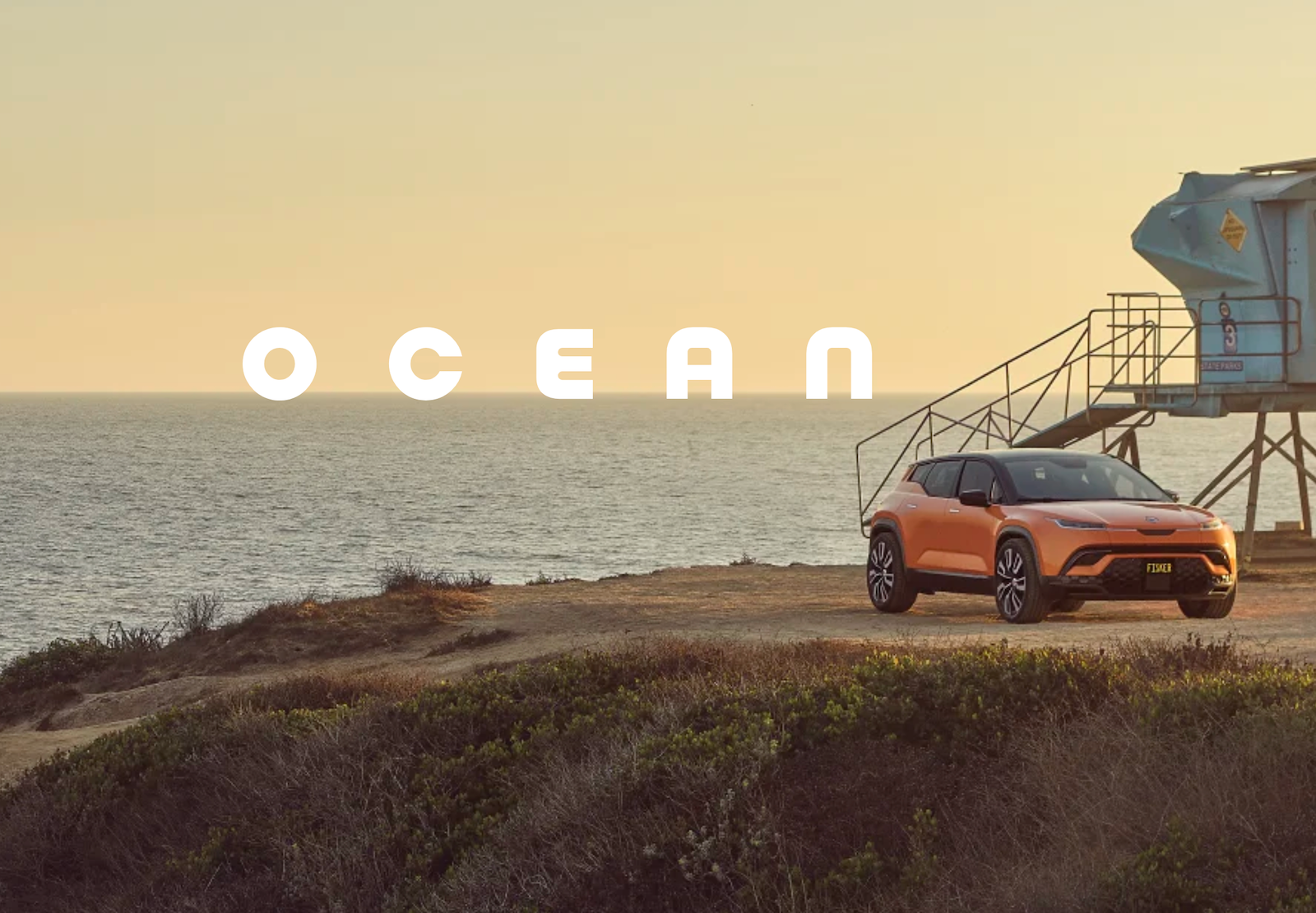
The Fisker Ocean was designed as an ambitious electric SUV aimed at buyers looking for long range, modern technology, distinctive styling, and a more sustainable approach to driving. Developed by Fisker Inc. and manufactured by Magna Steyr in Austria, the Ocean entered customer deliveries in 2023 and quickly attracted attention in the growing electric-vehicle market.
However, the story of the Ocean is not simply about its specifications or design. Fisker Inc. filed for Chapter 11 bankruptcy protection in June 2024 after facing financial, production, delivery, and business challenges. The company’s bankruptcy eventually brought production of the Ocean to an end.
That makes the Ocean an unusual vehicle today. It remains an interesting electric SUV with impressive hardware and distinctive features, but anyone considering a used example also needs to understand the company’s current situation, software support, service options, recalls, and parts availability.
What Is the Fisker Ocean?
The Fisker Ocean is a battery-electric midsize crossover SUV created by Fisker Inc. The vehicle was positioned as a technology-focused alternative to established electric SUVs.
Its design was led by Henrik Fisker, whose automotive career includes work on several recognizable performance and luxury vehicles. The Ocean was intended to combine an attractive exterior with an environmentally focused interior and a large battery designed for long-distance driving.
The production vehicle was offered in several versions, including:
- Ocean Sport
- Ocean Ultra
- Ocean Extreme
- Ocean One
Different versions used different powertrains and equipment levels. Higher-performance variants offered dual-motor all-wheel drive, while the Sport used a simpler front-wheel-drive configuration.
Fisker Ocean Design and Interior
One of the Ocean’s strongest characteristics was its distinctive design.
Rather than following the conservative styling used by many electric SUVs, Fisker gave the Ocean a clean exterior with a relatively aerodynamic shape. The cabin was designed around digital displays and a modern dashboard layout.
Depending on configuration, notable features included:
- Large central touchscreen
- Digital driver display
- Panoramic glass roof
- SolarSky roof technology on selected versions
- California Mode, which can open multiple windows
- Vegan-oriented interior materials
- Large cargo area
- Multiple driver-assistance technologies
The interior concept was particularly important to Fisker’s sustainability message. The company promoted the use of recycled and alternative materials in various parts of the vehicle.
Fisker Ocean Performance and Range
Performance varies considerably depending on the Ocean trim.
Fisker’s published specifications for the One and Extreme versions listed a 113-kWh battery, up to 468 horsepower in standard configuration, and 564 horsepower when Boost was used. The same specification sheet listed 0–100 km/h acceleration of about 4.0 seconds.
The published WLTP range for those versions was approximately:
| Feature | Fisker Ocean One / Extreme |
|---|---|
| Battery capacity | 113 kWh |
| Published WLTP range | Up to about 707 km |
| Horsepower | Up to 468 hp |
| Boost output | Up to 564 hp |
| 0–100 km/h | About 4.0 seconds |
| Top speed | 205 km/h |
| Towing capacity | Up to 1,820 kg |
Real-world range can be lower than laboratory figures. Temperature, driving style, road conditions, wheel size, climate control, and other factors can all affect an electric vehicle’s range.
Is the Ocean Fast?
The higher-performance Ocean versions can be quick for a midsize electric SUV. The combination of dual electric motors and all-wheel drive gives the upper trims strong acceleration.
The Ocean Extreme, for example, was engineered to deliver substantially more performance than the entry-level Sport. This helped the vehicle compete for attention against other performance-oriented electric crossovers.
Charging the Fisker Ocean
Charging capability is another important consideration for an electric SUV.
Fisker’s published specifications listed an estimated Mode 3 charging time of around 12 hours and a DC fast-charging time of approximately 33 minutes under the conditions specified by the manufacturer.
Actual charging times depend on several factors, including:
- Charger power
- Battery temperature
- Battery state of charge
- Charging infrastructure
- Vehicle software
- Environmental conditions
For daily driving, home charging can be convenient because the vehicle can replenish its battery while parked overnight.
Technology and Special Features
The Ocean was designed around technology rather than simply functioning as a conventional electric SUV.
California Mode
One of the most recognizable features was California Mode. When equipped, the system can open multiple windows and the liftgate window to create a more open-air driving experience.
Rotating Center Display
The Ocean was also promoted with a rotating central touchscreen that could change orientation for different uses. This was intended to give drivers a more flexible interface for navigation and entertainment.
SolarSky Roof
Some versions featured Fisker’s SolarSky roof, designed to use solar energy to contribute to the vehicle’s electrical energy needs.
The amount of energy generated naturally depends on sunlight, location, weather, and other environmental conditions, so it should not be viewed as a replacement for normal charging.
What Happened to Fisker?
This is the most important part of the Fisker Ocean story for anyone researching the vehicle today.
Fisker struggled with cash flow, production, distribution, and other business challenges as it attempted to increase deliveries. In March 2024, the company announced a temporary production pause while seeking additional funding. Reuters reported that Fisker had also been dealing with a significant cash shortage and had produced roughly 1,000 vehicles between February 1 and March 15 of that year.
In June 2024, Fisker filed for Chapter 11 bankruptcy protection in the United States. The company sought to sell assets while dealing with its financial difficulties.
The bankruptcy process later moved toward liquidation. Court records show that the Chapter 11 liquidation plan became effective in October 2024.
Magna, which had manufactured the Ocean, subsequently terminated its manufacturing agreement with Fisker as part of the bankruptcy-related process.
Fisker Ocean Recalls and Reliability Concerns
The Ocean’s history also included several technical and safety concerns.
In June 2024, more than 12,000 Ocean vehicles were recalled over an issue involving exterior door handles that could stick and prevent doors from opening. Reuters also reported that U.S. regulators had several investigations involving the Ocean at that time.
Other reported issues involving some vehicles included software problems, key-fob difficulties, loss-of-power complaints, braking concerns, and other mechanical or electronic faults. These reports do not mean every Ocean has the same problems, but they are important considerations when evaluating a used vehicle.
Potential buyers should check the individual vehicle’s VIN, recall history, maintenance records, software condition, and available service support before purchasing.
Is the Fisker Ocean Still Worth Considering?
The answer depends heavily on the buyer’s circumstances.
The Ocean can be appealing because of its:
- Distinctive styling
- Large battery
- Strong performance in higher trims
- Spacious SUV body
- Interesting technology
- Potentially attractive used-market pricing
However, the risks are significant.
Fisker is no longer operating as a normal automaker, and owners cannot rely on the same manufacturer support structure available from established car companies. The bankruptcy also created concerns about parts, warranty coverage, software, and long-term service.
Fisker’s service information website remains accessible and provides technical and repair information through subscription plans, but this is not equivalent to having a conventional automaker network behind the vehicle.
What Should Used Buyers Check?
Before buying a used Ocean, consider checking:
- VIN and recall history
Confirm whether applicable recalls have been addressed. - Software condition
Test the touchscreen, displays, cameras, driver-assistance features, locks, windows, and other electronic systems. - Charging system
Test both AC and DC charging if possible. - Battery condition
Look for unusual range loss or charging behavior. - Key fobs
Make sure all available keys work correctly. - Body and mechanical condition
Inspect tires, suspension, brakes, doors, windows, and charging equipment. - Parts and service availability
Confirm that qualified technicians and necessary replacement parts are available in your area.
Why the Fisker Ocean Remains Interesting
Despite Fisker’s collapse, the Ocean remains an interesting example of how quickly the electric-vehicle industry can evolve.
The vehicle offered features that were unusual for its class, including a large battery, long advertised range, innovative interior technology, and a design focused on sustainability.
Its failure was therefore not simply a case of an unpopular electric vehicle. Fisker’s problems involved financing, manufacturing, distribution, scaling, and the difficulties of competing in an increasingly demanding automotive market. Reuters described the company’s attempt to compete with established EV makers as being undermined by production and supply-chain challenges as well as financial pressures.
Frequently Asked Questions
Is the Fisker Ocean still being produced?
No. Production ended after Fisker Inc. entered bankruptcy proceedings. Magna’s manufacturing relationship with Fisker was also terminated during the bankruptcy process.
Is Fisker still in business?
Fisker Inc. went through Chapter 11 bankruptcy and subsequently entered a liquidation process. The company is therefore no longer operating as a conventional active automaker.
How far can a Fisker Ocean travel on one charge?
Fisker’s published specifications listed up to approximately 707 km of WLTP range for certain One and Extreme configurations. Actual range varies according to conditions, driving style, equipment, and temperature.
Is the Fisker Ocean fully electric?
Yes. The Ocean is a battery-electric SUV and does not use a conventional gasoline engine for propulsion.
Does the Fisker Ocean have all-wheel drive?
Some versions do. Higher-performance variants such as the One and Extreme use dual-motor all-wheel drive, while the Sport configuration uses front-wheel drive.
Should I buy a used Fisker Ocean?
It can be an attractive option for an informed buyer, particularly because of its technology and electric range. However, the bankruptcy creates additional ownership risks. Anyone considering one should carefully investigate recalls, software, battery condition, service availability, and replacement-part access before purchasing.
Conclusion
The Fisker Ocean remains one of the more unusual chapters in the modern electric-vehicle market. It offered a striking design, impressive advertised range, strong performance in higher trims, and technology intended to differentiate it from established competitors.
But the vehicle’s future became uncertain when Fisker Inc. encountered severe financial and operational difficulties and filed for Chapter 11 bankruptcy in 2024. The subsequent liquidation means today’s Ocean buyers need to think beyond specifications and purchase price.
For someone researching the Ocean as a used EV, the most important question is not simply whether the SUV looks good or has a long range. It is whether the specific vehicle has a healthy battery, working electronics, completed recalls, and realistic access to service and parts.
That combination of innovative engineering and complicated ownership circumstances is what makes the Fisker Ocean both intriguing and challenging to evaluate today.

Blum Listing Date: Complete Guide for 2026
For investors, collectors, and market enthusiasts, the Blum Listing Date has become a significant topic of interest in 2026. Whether you are new to the market or a seasoned professional, understanding this listing is essential for making informed decisions and capitalizing on opportunities. The Blum Listing Date is more than just a date on a calendar—it represents a pivotal moment that can affect pricing, availability, and investment strategies. In this guide, we’ll break down everything you need to know about the Blum Listing Date, including its background, how it works, and why it matters in today’s fast-moving financial and collectibles markets.
What Is the Blum Listing Date?
The Blum Listing Date refers to the official date when Blum’s assets, products, or securities are made publicly available for trading or listing on relevant platforms. This could involve shares, limited edition products, or other financial instruments depending on the context. In essence, the Blum Listing Date marks the transition from private or preparatory status to public availability. Investors and collectors often pay close attention to this date because it can significantly influence market behavior and early access opportunities.
Why the Blum Listing Date Matters
Understanding the Blum Listing Date is crucial for several reasons. Market timing is key, as knowing the listing date helps buyers and investors plan purchases strategically. Price trends can fluctuate sharply around the listing, making early insight valuable. Scarcity and demand play a role, particularly for limited edition products or shares, which often see spikes in interest immediately after the listing date. Investment planning also depends on awareness of the listing, allowing collectors and investors to align strategies for optimal returns. In 2026, the importance of the Blum Listing Date has grown due to increased interest from both institutional and individual investors, creating a more competitive and dynamic marketplace.
How Blum Listings Work
Blum listings typically follow a structured process to ensure transparency and fairness.
Pre-Listing Phase
Before the Blum Listing Date, preparations include regulatory approvals, public announcements, and early notifications to investors or collectors. This phase builds awareness and ensures the market is ready to respond.
Listing Phase
On the actual Blum Listing Date, the product or asset becomes officially available. This phase involves opening of trading or sales channels, real-time monitoring of activity, and observing initial market reactions and pricing trends.
Post-Listing Phase
After the listing date, activity continues as early adopters make decisions and the market begins to stabilize. Observing this phase provides insights for future investment opportunities.
Types of Blum Listings
Blum listings vary depending on the type of asset or product.
Securities and Shares
When Blum lists shares publicly, the Blum Listing Date is critical for investors seeking initial market prices. Timing can greatly influence returns.
Limited Edition Products
For collectors, the Blum Listing Date for limited edition items often sparks high demand and early sellouts, creating a competitive market where preparation is key.
Digital Assets
Digital assets like NFTs or online-exclusive items follow Blum listing schedules, making it essential to track the date to ensure access.
How to Prepare for the Blum Listing Date
Preparation is essential for success around the Blum Listing Date.
Stay Informed
Sign up for notifications from official Blum channels, follow trusted market analysts, and monitor relevant platforms where listings occur.
Financial Preparation
Ensure funds are available for timely purchases, set spending limits, and understand fees or transaction costs involved.
Strategic Planning
Decide whether your goal is short-term gain or long-term holding, study previous Blum listings for patterns, and prepare for quick action on the actual listing date.
Common Challenges and How to Overcome Them
Navigating the Blum Listing Date can be tricky, especially in competitive markets. High demand may lead to rapid sellouts, volatile pricing can create uncertainty, and technical issues may delay transactions. Overcome these challenges by planning purchases in advance, using reliable platforms, and staying updated on official announcements.
Case Studies of Blum Listings
Analyzing previous Blum listings provides insights. A 2024 product listing saw demand triple the supply, creating record secondary market activity. A 2025 securities listing showed how early action during the first few hours could significantly impact returns. These case studies highlight the importance of preparation and timing around the Blum Listing Date.
Frequently Asked Questions
When is the next Blum Listing Date?
The exact date varies depending on the asset type and official announcements. Staying subscribed to updates ensures you don’t miss it.
Can I participate if I’m a new investor or collector?
Yes, but familiarize yourself with registration requirements and market practices to avoid mistakes.
Does the Blum Listing Date guarantee availability?
No, limited stock or high demand may mean items sell out quickly. Early preparation improves your chances.
Blum Listing Date Schedule Table for 2026
| Month | Asset/Product | Notes |
|---|---|---|
| January | Limited Edition Collectibles | Early notification recommended |
| March | Securities | Pre-listing registration required |
| June | Digital Assets | Watch online platforms closely |
| September | Special Collaborations | Limited quantities, high demand |
| December | Year-End Releases | Popular among collectors and investors |
Tips for Maximizing Opportunities
To make the most of the Blum Listing Date, keep multiple devices ready for online listings, monitor social media and community discussions for updates, have a strategy for resale or long-term holding, and track previous listing patterns to anticipate demand. Combining preparation, strategy, and knowledge significantly improves your chances of success.
Conclusion
The Blum Listing Date is more than a calendar event—it’s a pivotal moment that can influence investment returns, product availability, and market trends. In 2026, staying informed, preparing ahead, and understanding market behavior are essential for leveraging Blum listings effectively. Whether you’re an investor, collector, or market enthusiast, understanding the nuances of the Blum Listing Date ensures you’re ready to act quickly and strategically. Use this guide to navigate the listing process, maximize opportunities, and make informed decisions. Stay alert, plan carefully, and let the Blum Listing Date work to your advantage.

Top Stories in BetterThisWorld BetterThisTechs News
Why BetterThisWorld Matters Today
In a world constantly changing through technology, sustainability, and innovation, keeping up with current events can be overwhelming. For readers who want a clear lens into the most influential developments, BetterThisWorld offers a window into stories that shape society, technology, and environmental progress. Every month, BetterThisWorld curates top stories that highlight breakthroughs, trends, and human-centered initiatives that inspire action. Whether you’re a tech enthusiast, sustainability advocate, or just curious about the future, exploring BetterThisWorld news keeps you ahead of the curve.
What is BetterThisWorld?
BetterThisWorld is more than just a news platform; it’s a hub for people who want to engage with the forces shaping tomorrow. From sustainable tech projects to scientific discoveries, cultural innovations, and social entrepreneurship, BetterThisWorld captures stories that combine relevance, impact, and inspiration. The platform emphasizes solutions-oriented journalism, showcasing projects and ideas that make tangible improvements in society. The recurring goal of BetterThisWorld is to provide readers with actionable insights while promoting awareness of global challenges and progress.
Key Focus Areas of BetterThisWorld
BetterThisWorld consistently covers a range of important topics:
- Sustainable Innovations: Reports on eco-friendly technologies, renewable energy projects, and green startups.
- Tech Developments: In-depth analysis of AI, blockchain, software solutions, and emerging gadgets.
- Human Impact Stories: Highlighting individuals and organizations making a difference in local and global communities.
- Cultural Trends: Exploration of arts, media, and lifestyle stories that influence modern society.
- Policy and Global Affairs: Insightful coverage of legislative changes, environmental policies, and tech regulations.
These areas collectively make BetterThisWorld a unique source that combines the practical with the inspirational, showing how innovation can intersect with social good.
Top Stories in BetterThisWorld This Month
Technology and Innovation
The tech landscape is constantly evolving, and BetterThisWorld highlights the most notable breakthroughs. This month, artificial intelligence applications are a central focus, especially in healthcare, automation, and environmental monitoring. Several startups featured on BetterThisWorld are using AI to predict climate trends, optimize urban energy consumption, and improve accessibility for people with disabilities. Additionally, BetterThisTechs news within the platform highlights software solutions and cutting-edge devices that promise to change how individuals interact with technology daily.
Bullet Points – Key Tech Stories:
- AI-driven climate monitoring systems
- Breakthroughs in renewable energy storage
- Wearable technology improving health outcomes
- Automation in urban planning and infrastructure
- Innovative software for remote collaboration
These stories show that BetterThisWorld not only reports trends but also evaluates their broader societal impact.
Sustainability and Environment
Sustainability remains at the core of BetterThisWorld’s coverage. This month’s highlights include new recycling methods, water conservation projects, and renewable energy developments that reduce carbon footprints globally. Readers learn about small-scale community initiatives and large corporate programs working toward eco-efficiency. By covering both the micro and macro perspectives, BetterThisWorld emphasizes that every action, big or small, contributes to a better planet.
Key Sustainability Initiatives Covered:
- Innovative solar and wind energy projects
- Community-led urban gardening programs
- Water purification and conservation technology
- Green building and architecture trends
- Corporate social responsibility initiatives
The reporting style combines facts with stories, showing readers the human faces behind these initiatives.
Human Stories and Social Impact
BetterThisWorld shines in human-centered stories that highlight individuals or groups making a difference. This month, feature stories include grassroots educational programs, social entrepreneurs improving local economies, and health advocates providing resources in underserved areas. These stories are crucial because they demonstrate the tangible results of innovation and compassion working together.
Examples of Social Impact Stories:
- Community education programs in rural areas
- Nonprofit organizations using technology for social good
- Grassroots environmental initiatives
- Health innovation programs targeting vulnerable populations
- Youth-led campaigns for awareness and activism
Such stories make BetterThisWorld more than a news site; they make it a platform for inspiration and engagement.
How BetterThisWorld Covers BetterThisTechs News
BetterThisWorld provides comprehensive coverage of BetterThisTechs news through expert analysis, interviews with industry leaders, and real-world case studies. The platform focuses on innovation, practicality, and societal relevance rather than simply reporting trends. Readers gain insights into why these technological developments matter and how they can influence both personal and global decision-making.
Features of BetterThisTechs Coverage
- Expert Commentary: Industry professionals provide analysis and predictions.
- Real-World Applications: Case studies showing technology’s impact on communities and businesses.
- Interactive Insights: Multimedia content, including charts, visuals, and video explainers.
- Global Perspective: Reports cover innovations across continents, from Asia to Europe to North America.
- Forward-Looking Stories: Emphasis on upcoming trends and technologies that will shape the next decade.
BetterThisWorld ensures that its readers are not only informed but also prepared for emerging challenges and opportunities.
Why Readers Trust BetterThisWorld
The credibility of BetterThisWorld comes from its rigorous approach to journalism and content curation. Every story is verified, contextualized, and connected to a larger trend. Unlike sensationalist news, BetterThisWorld balances informative reporting with practical takeaways, which encourages readers to engage deeply with each topic. Trust also comes from the platform’s consistency in covering stories that align with its mission: improving understanding of the world and highlighting positive developments.
Community Engagement
BetterThisWorld encourages readers to comment, share, and contribute perspectives. Interactive discussion threads allow readers to explore stories in depth, compare opinions, and engage with like-minded individuals. This engagement strengthens the sense of a community built around learning, innovation, and social impact.
Accessibility and Updates
The platform is accessible across multiple devices and regularly updated. Daily news briefs, weekly roundups, and monthly highlights ensure that readers always have access to the latest developments. Mobile optimization and user-friendly navigation enhance the reading experience, allowing audiences to stay informed anytime, anywhere.
Key Categories in BetterThisWorld
BetterThisWorld organizes content to ensure that readers can quickly access the stories most relevant to them.
Table – Key Content Categories:
| Category | Focus |
|---|---|
| BetterThisTechs | Latest technological developments and innovations |
| Sustainability | Environmental news and green projects |
| Social Impact | Human-centered initiatives and community stories |
| Policy & Governance | Regulations, legislation, and global affairs |
| Cultural Trends | Arts, media, lifestyle, and social movements |
This structure ensures clarity and helps readers explore BetterThisWorld news in a focused way.
Tips for Making the Most of BetterThisWorld
- Subscribe to newsletters for daily insights.
- Follow specialized sections like BetterThisTechs or Sustainability.
- Engage in comment sections to share your perspective.
- Track ongoing projects to understand their long-term impact.
- Use BetterThisWorld as a resource for research, education, or inspiration.
Conclusion
BetterThisWorld is more than a news source; it’s a guide to understanding the forces shaping the future. From cutting-edge tech innovations to human-centered stories and sustainability projects, BetterThisWorld provides actionable insights, credible reporting, and inspiring narratives. By following top stories and BetterThisTechs news, readers can stay informed, engage with global developments, and even contribute to solutions that improve communities. Explore BetterThisWorld today, share your thoughts, and become part of a community focused on making a meaningful impact on the world.

Digital Marketing Strategies That Support Sustainable Business Growth

Newsweek com A Guide to the News Website, Its Content, and What Readers Can Find

Noah Kahan Merch A Complete Guide to Official Merchandise and Fan Favorites

Perdita Weeks Disability: Facts, Rumors, and the Truth

Chris Rea’s Music Career: Hits, Albums, Legacy

Movierulz 2025 Explained: Risks, Safety, and Legality
-
 Business10 months ago
Perdita Weeks Disability: Facts, Rumors, and the Truth
-
Business10 months ago
Chris Rea’s Music Career: Hits, Albums, Legacy
-
Business11 months ago
Movierulz 2025 Explained: Risks, Safety, and Legality
-

 Celebrity9 months ago
Jeffrey Alan Marks Ross Cassidy Split Explained
-

 game8 months ago
BIOS PS2: How It Powers PS2 Emulation
-

 Celebrity10 months ago
Arlene Silver Net Worth in 2024: Career and Earnings
-
 Business10 months ago
Doge HHS Migrant Housing Contract: What It Means Now
-

 Celebrity10 months ago
Melissa Esplana: Life, Career, and Personal Story