Technology
Best Free 3D Modeling Software for Beginners in 2026
Why 3D Modeling Is No Longer Just for Experts
A few years ago, 3D modeling felt intimidating. Expensive software, complex interfaces, and steep learning curves kept beginners away. However, things have changed. Today, the best free 3D modeling software makes it possible for anyone to design, experiment, and create without spending a single dollar.
If you are curious about 3D printing, game design, product visualization, architecture, or even digital art, learning 3D modeling is a powerful skill. More importantly, beginners now have access to tools that are free, beginner-friendly, and surprisingly capable.
This guide explores the Best Free 3D Modeling Software for beginners in 2026. We will look at how these tools work, what features matter most, and how to choose the right one for your goals. Whether you are a student, hobbyist, or future professional, this article will help you get started with confidence.
What Is 3D Modeling Software?
3D modeling software allows users to create three-dimensional digital objects on a computer. These objects can be rotated, modified, textured, rendered, and exported for different uses.
In simple terms, it is like sculpting, but digitally.
Common Uses of 3D Modeling
- 3D printing projects
- Game development assets
- Product design and prototyping
- Architectural visualization
- Animation and visual effects
- Educational and engineering models
Thanks to modern development, the Best Free 3D Modeling Software now includes advanced tools that were once only available in paid programs.
Why Choose Free 3D Modeling Software as a Beginner?
Starting with free tools makes sense, especially when learning a new skill.
Key Benefits for Beginners
- No financial risk
- Easy-to-learn interfaces
- Large online communities
- Tutorials and learning resources
- Suitable for low-end computers
- Freedom to experiment and make mistakes
Moreover, free software often grows with you. Many beginners continue using the same tools even after gaining experience.
What Makes the Best Free 3D Modeling Software in 2026?
Not all free tools are equal. Some are powerful but difficult. Others are simple but limited. The best balance is what beginners should look for.
Essential Features to Look For
- User-friendly interface
- Basic sculpting and modeling tools
- Mesh editing capabilities
- Export options for 3D printing
- Support for common file formats
- Tutorials and documentation
- Active user community
In addition, performance stability and regular updates matter more than flashy features.
Best Free 3D Modeling Software for Beginners in 2026
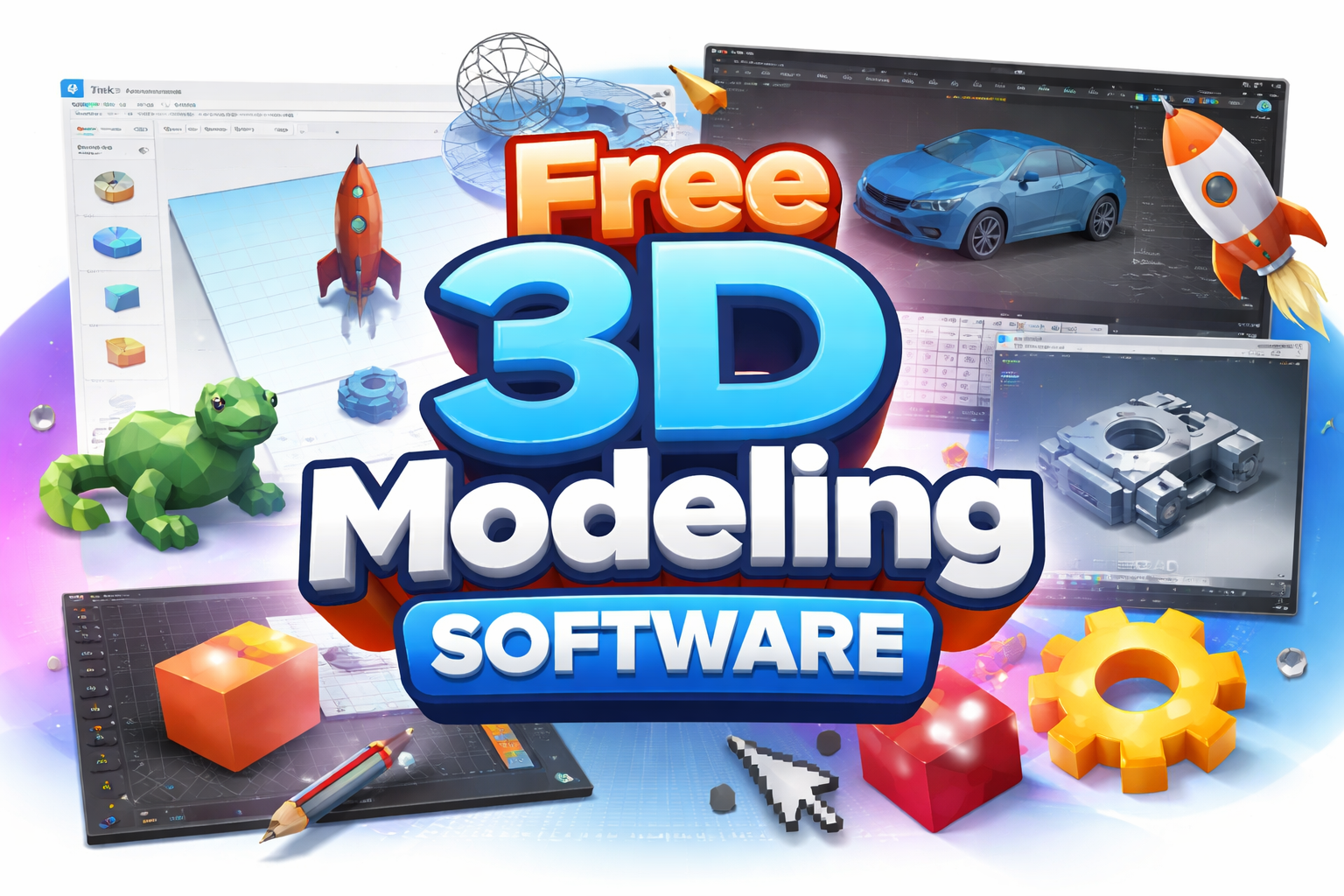
Below are the most beginner-friendly and reliable options available today. Each one fits a different learning style and purpose.
1. Blender
Blender remains one of the most powerful free tools available, even in 2026.
Why Beginners Use Blender
- Completely free and open-source
- Supports modeling, sculpting, rendering, and animation
- Strong community and tutorials
- Used by professionals worldwide
However, Blender has a learning curve. Still, many beginners succeed because of its flexibility.
Blender proves that Best Free 3D Modeling Software does not mean limited software.
2. Tinkercad
Tinkercad is often the first step for beginners.
Key Strengths
- Browser-based, no installation
- Extremely simple interface
- Ideal for 3D printing beginners
- Drag-and-drop modeling system
While it lacks advanced tools, it is perfect for learning basic shapes, measurements, and design logic.
3. FreeCAD
FreeCAD is ideal for technical and engineering-focused users.
Why FreeCAD Stands Out
- Parametric modeling
- Precision-based design
- Suitable for mechanical parts
- Great for product design
Beginners interested in engineering or CAD workflows often prefer FreeCAD over artistic tools.
4. SketchUp Free
SketchUp Free remains popular due to its simplicity.
What Makes It Beginner-Friendly
- Intuitive push-pull tools
- Easy navigation
- Great for architectural models
- Web-based version available
Although limited compared to paid versions, it still qualifies as one of the Best Free 3D Modeling Software options for beginners.
5. SelfCAD
SelfCAD combines simplicity with power.
Notable Features
- Built-in slicer for 3D printing
- Cloud-based and desktop options
- Beginner-friendly tutorials
- Modeling and sculpting tools combined
It is particularly useful for users who want quick results without complexity.
Best Free 3D Modeling Software by Use Case
Different goals require different tools. Here is a quick comparison.
For 3D Printing
- Tinkercad
- SelfCAD
- FreeCAD
For Animation and Art
- Blender
For Architecture
- SketchUp Free
- Blender
For Engineering Design
- FreeCAD
Choosing the Best Free 3D Modeling Software depends on what you want to create.
System Requirements: Can Your PC Handle It?
One common concern among beginners is hardware.
General Requirements
- 8GB RAM recommended
- Integrated graphics can work for simple models
- SSD improves performance
- Modern web browser for online tools
Fortunately, most free software runs well on average computers.
How to Learn 3D Modeling Faster as a Beginner
Learning software is one thing. Learning design thinking is another.
Practical Learning Tips
- Start with simple shapes
- Follow beginner tutorials
- Practice daily, even for 20 minutes
- Recreate real-world objects
- Join online communities
- Avoid comparing yourself to professionals
Consistency matters more than speed.
Common Beginner Mistakes to Avoid
Even with the Best Free 3D Modeling Software, beginners often face the same issues.
Mistakes That Slow Progress
- Skipping fundamentals
- Using advanced tools too early
- Ignoring scale and measurements
- Not saving versions
- Expecting perfection immediately
Learning 3D modeling is a process. Mistakes are part of growth.
Free vs Paid 3D Modeling Software
Is free software enough?
For beginners, yes.
Key Differences
- Paid tools offer specialized features
- Free tools are more flexible for learning
- Skill matters more than software
- Many professionals still use free tools
In fact, mastering free software can make switching to paid tools easier later.
Why Free 3D Modeling Software Is Better Than Ever in 2026
Technology continues to evolve.
Modern Improvements
- Better user interfaces
- Faster rendering engines
- Cloud-based workflows
- AI-assisted modeling tools
- Improved export compatibility
As a result, the Best Free 3D Modeling Software in 2026 rivals paid options from just a few years ago.
Who Should Learn 3D Modeling Today?
3D modeling is no longer niche.
Ideal Learners
- Students and educators
- Makers and hobbyists
- Entrepreneurs
- Designers and artists
- Engineers and architects
- Content creators
The skill opens doors across multiple industries.
Frequently Asked Questions
Is free 3D modeling software really free?
Yes. Most options discussed are completely free with no hidden costs.
Can beginners use Blender?
Yes, with patience and tutorials.
Is online software better than desktop software?
It depends. Online tools are easier, desktop tools are more powerful.
Can I earn money using free 3D modeling software?
Absolutely. Skill matters more than the tool.
The Future of Free 3D Modeling Software
Looking ahead, free tools will continue to improve.
Expected Trends
- AI-assisted design
- Real-time collaboration
- Easier learning curves
- Stronger integration with 3D printing
- More cloud-based platforms
Beginners starting today are entering at the perfect time.
Conclusion: Is Free 3D Modeling Software Worth Learning in 2026?
Without question, yes.
The Best Free 3D Modeling Software gives beginners everything they need to start designing, experimenting, and creating without pressure or cost. These tools are no longer basic alternatives. They are powerful platforms used by millions worldwide.
If you have ever wanted to design something from scratch, now is the time. Choose a tool that fits your goals, practice consistently, and enjoy the creative process.
If this guide helped you, share your thoughts, comment with your favorite tool, or pass it along to someone curious about 3D modeling. Your journey starts with one simple model.
Technology
What Is Application in Zillexit Software? Full Guide
Technology
Why Programming Insider Matters in 2026
If you’ve ever wondered how television networks decide which shows survive, which get canceled, and which dominate primetime, the answer usually begins with numbers. Not flashy headlines. Not social media hype. Numbers. And in 2026, few platforms track those numbers as consistently as Programming Insider.
The media landscape has changed dramatically over the past decade. Streaming services compete with broadcast networks. Cable television fights for relevance. Sports rights deals grow more expensive. Advertisers demand precise audience metrics. In the middle of all this sits Programming Insider, quietly delivering daily TV ratings, broadcast data, and industry analysis that professionals actually use.
So why does Programming Insider matter so much in 2026? Let’s unpack that properly.
The Evolution of Television and Streaming Data
To understand the relevance of Programming Insider today, you have to look at how media consumption has evolved.
Ten years ago, traditional TV ratings dominated the conversation. Today, however, the industry tracks:
- Live + Same Day ratings
- Live + 3 and Live + 7 data
- Streaming viewership
- Digital engagement metrics
- Audience demographics
- Social media trends
- On-demand consumption
- Multi-platform distribution
As viewing habits shift, the demand for reliable media reporting increases. Programming Insider helps decode these complex audience measurement systems in a way that media professionals can understand and apply.
What Programming Insider Actually Does
At its core, Programming Insider focuses on:
- Daily Nielsen ratings
- Broadcast television performance
- Cable network rankings
- Sports TV ratings
- Syndication numbers
- Industry news updates
- Media analytics reports
- Schedule analysis
Unlike entertainment gossip sites, Programming Insider centers on performance data. It provides television ratings breakdowns that help networks, advertisers, and journalists interpret audience trends.
In 2026, that kind of transparency is more valuable than ever.
Why TV Ratings Still Matter in 2026
Many people assume streaming has replaced traditional TV entirely. That’s not accurate.
Broadcast networks still generate significant revenue through advertising. Major live events like sports championships, award shows, and primetime dramas attract millions of viewers.
TV ratings influence:
- Advertising revenue
- Commercial pricing
- Show renewals and cancellations
- Network scheduling decisions
- Media investment strategies
- Content acquisition
Programming Insider delivers consistent ratings reports that allow decision-makers to evaluate performance across multiple channels.
Without reliable data tracking, the entertainment business would operate blindly.
The Role of Programming Insider in the Streaming Era
In 2026, streaming services dominate conversations. However, traditional ratings reporting has adapted rather than disappeared.
Programming Insider now contributes to understanding:
- Broadcast vs streaming competition
- Audience fragmentation
- Cord-cutting trends
- Digital platform growth
- Prime-time performance comparisons
- Multi-platform distribution strategies
For example, when a major sporting event airs simultaneously on cable and streaming apps, analysts use ratings data to measure cross-platform reach.
Programming Insider helps interpret those numbers.
Media Professionals Rely on Accurate Data
Let’s be practical. Who benefits from Programming Insider?
- Television executives
- Advertising agencies
- Digital marketers
- Content strategists
- Media analysts
- Journalists
- Sports networks
- Entertainment bloggers
Each of these professionals depends on audience measurement to guide strategy.
In a competitive media ecosystem, informed decisions separate successful networks from struggling ones. Programming Insider supports that decision-making process by providing accessible industry metrics.
Daily Ratings Reporting: Why Consistency Matters
One reason Programming Insider remains relevant in 2026 is consistency.
Daily TV ratings reports offer:
- Overnight viewership numbers
- Household ratings
- Demographic breakdowns
- Time-slot comparisons
- Network rankings
Consistency builds trust. When media professionals see steady reporting patterns, they rely on that source for credible insights.
That credibility strengthens the authority of Programming Insider within the television industry.
Advertising and Revenue Implications
Advertising dollars follow audience numbers. It’s that simple.
In 2026, brands want:
- Verified audience data
- Targeted demographics
- Cross-platform reach
- Viewer engagement metrics
- Return on investment analysis
Programming Insider plays a role by highlighting viewership performance that advertisers consider when placing media buys.
If a show consistently dominates in the 18–49 demographic, advertisers notice. Ratings reports influence pricing models and commercial placements.
Sports Ratings: A Major Factor in 2026
Sports broadcasting continues to drive significant revenue in the media industry.
Live sports attract:
- Real-time viewers
- Higher advertising rates
- Strong audience loyalty
- Cross-network distribution deals
Programming Insider frequently covers sports TV ratings, including football, basketball, baseball, combat sports, and international tournaments.
Because live sports resist time-shifting trends, they remain a cornerstone of traditional ratings analysis.
In 2026, understanding sports performance data is essential, and Programming Insider helps fill that gap.
Comparing Programming Insider to Other Media Sources
There are many entertainment news outlets. However, not all focus on ratings transparency.
Here’s a simple comparison:
| Feature | Programming Insider | Entertainment Blogs |
|---|---|---|
| TV Ratings Reports | Yes | Rare |
| Nielsen Data | Yes | Limited |
| Broadcast Analysis | Yes | Minimal |
| Gossip Coverage | No | Yes |
| Industry Focus | High | Low |
| Advertising Insight | Yes | Rare |
This distinction explains why Programming Insider maintains relevance among professionals rather than casual readers seeking celebrity news.
Why Transparency Builds Authority
In 2026, trust is currency.
Audiences are more skeptical. Advertisers demand clarity. Media companies want measurable results.
Programming Insider builds authority through:
- Regular data updates
- Structured ratings tables
- Performance comparisons
- Objective reporting
- Consistent formatting
Transparency strengthens credibility. That credibility drives repeat readership.
The Impact of Audience Fragmentation
Viewers today are scattered across:
- Broadcast TV
- Cable channels
- Streaming platforms
- Mobile apps
- Smart TVs
- On-demand libraries
Audience fragmentation complicates measurement. However, data aggregation tools help combine these numbers into usable insights.
Programming Insider contributes by reporting traditional ratings alongside broader industry context.
In 2026, navigating fragmentation requires analytical interpretation — not just raw data.
The Importance of Demographic Data
It’s not just about total viewers. Demographics shape advertising decisions.
Key segments include:
- Adults 18–49
- Adults 25–54
- Household ratings
- Market share percentages
- Regional performance
Programming Insider frequently highlights demographic breakdowns, helping professionals target the right audience groups.
Without demographic analysis, ratings numbers lack strategic value.
How Programming Insider Supports Content Strategy
Television networks and streaming platforms rely on performance trends to shape content development.
Ratings data influences:
- Script renewals
- Spin-off creation
- Genre investment
- Scheduling shifts
- Budget allocation
If a specific genre consistently performs well, executives invest more heavily in that category.
Programming Insider provides data that indirectly shapes programming decisions.
The Digital Transformation of Media Reporting
Media reporting itself has evolved.
In 2026, digital journalism emphasizes:
- Real-time analytics
- Audience engagement
- Social amplification
- Data visualization
- Cross-platform reporting
Programming Insider adapts by maintaining online accessibility and structured reporting formats suitable for digital consumption.
Its presence in search engine results strengthens its authority among media researchers.
SEO and Industry Authority
Search visibility plays a role in relevance.
Because Programming Insider consistently publishes ratings reports, it maintains strong keyword alignment with:
- TV ratings today
- Broadcast viewership numbers
- Nielsen ratings report
- Cable TV rankings
- Primetime performance
This consistent publishing cycle reinforces its domain authority and search engine credibility.
Why Media Students and Analysts Follow It
In academic settings, media students study:
- Audience behavior
- Advertising economics
- Broadcast competition
- Media convergence
- Ratings methodology
Programming Insider offers real-world examples of these concepts in action.
For analysts learning how ratings affect revenue models, daily reporting serves as practical case material.
The Future Outlook Beyond 2026
Looking ahead, the importance of reliable media data will only increase.
Trends shaping the future include:
- Hybrid streaming models
- Subscription bundles
- Sports rights consolidation
- AI-driven content recommendations
- Interactive television experiences
- Global streaming expansion
As media becomes more complex, data interpretation becomes more valuable.
Programming Insider remains relevant because it focuses on measurable performance rather than speculation.
Final Thoughts: Why Programming Insider Matters in 2026
In an industry flooded with opinions, speculation, and viral headlines, data still speaks the loudest.
Programming Insider matters in 2026 because it provides:
- Consistent ratings analysis
- Transparent audience metrics
- Industry-focused reporting
- Reliable broadcast performance data
- Insight into advertising impact
- Context for streaming competition
It serves professionals who need clarity, not noise.
Whether you’re a media executive, advertising strategist, journalist, or simply someone curious about how television truly performs behind the scenes, Programming Insider offers measurable insight into the mechanics of the entertainment industry.
As media continues to evolve, the demand for credible, data-driven reporting will grow. And platforms that consistently deliver structured ratings analysis will remain essential.
If you found this breakdown helpful, consider sharing it with fellow media enthusiasts or commenting with your thoughts on how ratings reporting will evolve beyond 2026. The conversation around television performance is far from over, and informed readers shape that conversation.
Technology
What Makes the Apple iPhone Different From Android
-
Business2 months agoMovierulz 2025 Explained: Risks, Safety, and Legality
-
Business2 months agoDoge HHS Migrant Housing Contract: What It Means Now
-
Celebrity2 months agoMelissa Esplana: Life, Career, and Personal Story
-
Business2 months agoChris Rea’s Music Career: Hits, Albums, Legacy
-
Business1 month agoPerdita Weeks Disability: Facts, Rumors, and the Truth

-
Business3 months agoNew York Giants vs Atlanta Falcons Match Player Stats Breakdown
-
Crypto3 months agoDogecoin Price Today: What Investors Must Know
-
Entertainment2 months agoSalma Hayek Nude Scenes Explained in Film Context