game
BIOS PS2: How It Powers PS2 Emulation

BIOS PS2: How It Powers PS2 Emulation
If you’ve ever tried running a PlayStation 2 game on your PC and hit a wall, you probably discovered two words that kept popping up: BIOS PS2.
It sounds technical. Maybe even intimidating. But here’s the truth — without BIOS PS2, PS2 emulation simply doesn’t work the way it should.
The PlayStation 2 is one of the most iconic gaming consoles ever made. Titles like action-adventure classics, RPG masterpieces, racing simulators, and fighting games defined a generation. Today, emulators allow players to revisit those games on modern hardware. However, the missing puzzle piece is almost always the BIOS.
In this guide, we’ll break down what BIOS PS2 actually is, why it’s critical for emulation, how it interacts with emulators, and how it affects performance, compatibility, and game accuracy. By the end, you’ll understand not just what it does — but why it matters.
What Is BIOS PS2?
Let’s start simple.
BIOS PS2 stands for “Basic Input/Output System” of the PlayStation 2 console. It’s firmware — a small but essential piece of system software stored on the console’s motherboard.
Think of BIOS PS2 as the console’s brain during startup. It:
-
Initializes hardware components
-
Verifies system settings
-
Handles region settings
-
Launches the operating environment
-
Boots game discs
Without BIOS PS2, the console itself wouldn’t function properly. And when it comes to emulation, the same rule applies.
Why BIOS PS2 Is Required for Emulation
Emulators replicate hardware. They simulate the CPU, GPU, memory architecture, and input/output systems of the PS2. However, they don’t replace firmware.
When you use a PS2 emulator like PCSX2, the emulator needs BIOS PS2 to:
-
Authenticate games
-
Emulate boot sequence
-
Provide system libraries
-
Manage memory cards
-
Handle disc reading processes
In short, BIOS PS2 connects the emulator to the authentic PlayStation 2 system behavior.
Without it, the emulator cannot boot games accurately.
How BIOS PS2 Works Inside an Emulator
Now let’s dig a little deeper.
When you launch an emulator, here’s what happens behind the scenes:
-
The emulator loads BIOS PS2 firmware.
-
The virtual hardware initializes.
-
The system environment is simulated.
-
The game ISO or disc image loads.
-
The PS2 startup screen appears.
This process mirrors how an actual PlayStation 2 console operates.
Key Components the BIOS Controls
BIOS PS2 interacts with several internal subsystems:
-
Emotion Engine CPU
-
Graphics Synthesizer
-
Memory management unit
-
Input controller system
-
Audio processing unit
Accurate BIOS integration ensures proper timing cycles and hardware emulation.
That’s why using the correct BIOS PS2 version matters for compatibility.
Different BIOS PS2 Versions and Regions
Not all BIOS PS2 files are identical.
Sony released different firmware versions depending on:
-
Region (USA, Japan, Europe)
-
Console model (fat vs slim)
-
Firmware revisions
-
Hardware updates
Common Region Types
-
NTSC-U (North America)
-
PAL (Europe)
-
NTSC-J (Japan)
Region matters because some games are region-locked. Using the matching BIOS PS2 improves compatibility and reduces boot errors.
For example, European PAL games often perform better with a PAL BIOS configuration.
How BIOS PS2 Impacts Game Compatibility
Game compatibility is a major topic in PS2 emulation.
The accuracy of BIOS PS2 affects:
-
Game boot success
-
Cutscene rendering
-
Audio synchronization
-
Save file management
-
In-game stability
Certain titles rely heavily on specific firmware behaviors. If the BIOS doesn’t match properly, you may encounter:
-
Black screens
-
Freezing issues
-
Texture glitches
-
Audio distortion
That’s why emulator developers recommend using an authentic BIOS PS2 file.
Performance and BIOS PS2
Let’s clear up a common myth.
BIOS PS2 does not directly increase FPS. However, it does influence stability and system accuracy.
Here’s how:
-
Proper firmware reduces emulation conflicts
-
Accurate timing improves frame pacing
-
Stable boot sequences reduce crashes
Performance still depends heavily on:
-
CPU power
-
GPU capability
-
Emulator settings
-
Resolution scaling
-
Hardware acceleration
However, BIOS PS2 ensures the foundation is stable.
Legal Considerations Around BIOS PS2
It’s important to understand one thing clearly.
BIOS PS2 is copyrighted firmware owned by Sony. Legally, users are expected to dump the BIOS from their own PlayStation 2 console.
Emulator software itself is legal. However, distributing or downloading BIOS files from unofficial sources may violate copyright laws in some regions.
For ethical and legal reasons, the safest approach is extracting BIOS PS2 from your own hardware.
Step-by-Step: How BIOS PS2 Powers Boot Sequence
Let’s walk through the technical boot process in simple terms.
Stage 1: Hardware Initialization
The BIOS initializes:
-
RAM
-
Processor clock
-
Graphics interface
-
Storage devices
Stage 2: System Configuration
It loads:
-
System language
-
Time zone
-
Display mode
-
Region lock data
Stage 3: Game Launch
The BIOS checks:
-
Disc authentication
-
Encryption keys
-
Game executable
Only then does the game start.
Emulators replicate this chain using BIOS PS2 firmware.
BIOS PS2 and Memory Cards
Another overlooked role of BIOS PS2 is memory card management.
The firmware controls:
-
Save file formatting
-
Data encryption
-
Game save authentication
-
Virtual memory card access
Without BIOS PS2, save states may work — but native memory card emulation becomes unreliable.
This matters for long RPG sessions or career mode progress.
BIOS PS2 and Graphics Accuracy
Visual glitches in emulators often get blamed on GPU settings. However, firmware compatibility also plays a role.
BIOS PS2 ensures:
-
Proper shader timing
-
Correct resolution detection
-
Accurate rendering behavior
-
Stable interlacing support
While the emulator handles graphical upscaling, BIOS PS2 maintains the original system behavior.
Common BIOS PS2 Setup Mistakes
Even experienced users sometimes make errors.
Here are common issues:
-
Wrong region BIOS
-
Corrupted BIOS file
-
Incorrect folder placement
-
Outdated emulator version
-
Missing system configuration
If a game fails to boot, checking BIOS PS2 configuration should be your first troubleshooting step.
Emulator Settings That Work Best with BIOS PS2
For smooth PS2 emulation:
-
Enable hardware rendering
-
Match BIOS region to game region
-
Use recommended CPU settings
-
Enable V-Sync if screen tearing occurs
-
Keep emulator updated
The BIOS PS2 file should be properly selected in the emulator’s system settings menu.
Why BIOS PS2 Is Essential for Accurate Emulation
Accuracy matters more than speed for many retro gamers.
Hardcore enthusiasts want:
-
Original startup screen
-
Authentic sound effects
-
Accurate frame timing
-
Realistic loading behavior
BIOS PS2 ensures that authenticity.
Without it, the emulator would only simulate hardware — not the system software environment.
Table: BIOS PS2 Core Functions
| Function | Purpose |
|---|---|
| Hardware Initialization | Prepares CPU, GPU, memory |
| Region Locking | Matches disc region |
| Disc Authentication | Verifies game legitimacy |
| Memory Card Management | Controls save files |
| Boot Animation | Displays startup screen |
| System Settings | Language, time, video output |
This table highlights how central BIOS PS2 is to the emulation ecosystem.
Future of BIOS and PS2 Emulation
Modern emulator development continues to improve.
Some experimental builds aim to recreate BIOS-level behavior internally. However, fully replacing BIOS PS2 is extremely complex due to proprietary firmware architecture.
Until that changes, BIOS PS2 remains essential for authentic emulation.
As PCs grow more powerful, resolution scaling, anti-aliasing, and 4K upscaling enhance visuals. But firmware remains the backbone.
Final Thoughts on BIOS PS2
If you strip everything down to basics, here’s the truth: BIOS PS2 is the heart of PS2 emulation.
It handles system startup, hardware communication, game authentication, memory management, and compatibility stability. Without it, emulators cannot function properly.
While performance tuning, graphics settings, and CPU power all matter, BIOS PS2 ensures the emulator behaves like a real console.
Understanding it gives you more control over your setup. It reduces troubleshooting headaches. And it brings you closer to authentic retro gaming.
If you found this guide helpful, consider sharing it with fellow gamers or leaving a comment about your favorite PS2 classic. After all, the PlayStation 2 era deserves to be preserved — and BIOS PS2 is a key part of that preservation.




Squishy toys have become a popular choice for people who enjoy soft textures, playful designs, and hands-on activities. From cute animal shapes and food-inspired designs to simple foam squeezers, these toys come in many styles and sizes.
Part of their appeal is their simple design: you squeeze, stretch, or gently manipulate the toy and then let it return toward its original shape. For many people, that repetitive motion can simply be enjoyable and provide something to do with their hands while studying, relaxing, or taking a break.
But with so many types available, choosing the right one can be confusing. This guide explains what squishy toys are, the different varieties available, what to consider before buying one, and how to keep them clean and in good condition.
What Are Squishy Toys?
Squishy toys are soft, squeezable toys designed to be pressed or compressed by hand. Many are made from flexible foam or similar materials that allow them to deform when squeezed and gradually regain their shape.
They are often designed with bright colors, cute characters, miniature food shapes, animals, fruits, or everyday objects. Some are highly detailed collectibles, while others are designed primarily as simple fidget toys.
Their appeal usually comes from a combination of:
- Soft and flexible textures
- Satisfying squeezing action
- Fun shapes and designs
- Small, portable sizes
- Different textures and levels of firmness
- Collectible styles and themes
Why Are Squishy Toys So Popular?
The popularity of these toys comes from their combination of tactile appeal and playful design.
A Simple Hands-On Activity
Some people simply enjoy having something to squeeze or manipulate with their hands. The repetitive movement can make a short break more enjoyable without requiring a screen or complicated activity.
Cute and Creative Designs
Squishy toys are available in countless designs. Food-shaped versions may look like miniature cakes, fruit, bread, or desserts, while animal-themed versions can feature cats, bears, dogs, and other characters.
The visual design is often just as important as the texture.
Easy to Carry
Many squishies are compact enough to fit into a pencil case, backpack, or small storage box. This makes them convenient for people who enjoy tactile toys at home or during appropriate free time.
Collectible Appeal
Some enthusiasts enjoy collecting squishies based on particular themes, characters, colors, or shapes. A collection can become a fun way to organize favorite designs rather than simply owning one toy.
Different Types of Squishy Toys
Not every squishy feels the same. The material, shape, size, and construction can significantly affect the experience.
Slow-Rising Squishies
Slow-rising squishies are designed to compress easily and then gradually expand back toward their original shape.
The slow recovery is one of the characteristics that makes this style particularly satisfying for people who enjoy watching the toy change shape.
Foam Squishies
Foam versions are among the most common styles. They are generally lightweight and available in many different shapes.
Their firmness can vary considerably, so two foam toys that look similar may feel very different when squeezed.
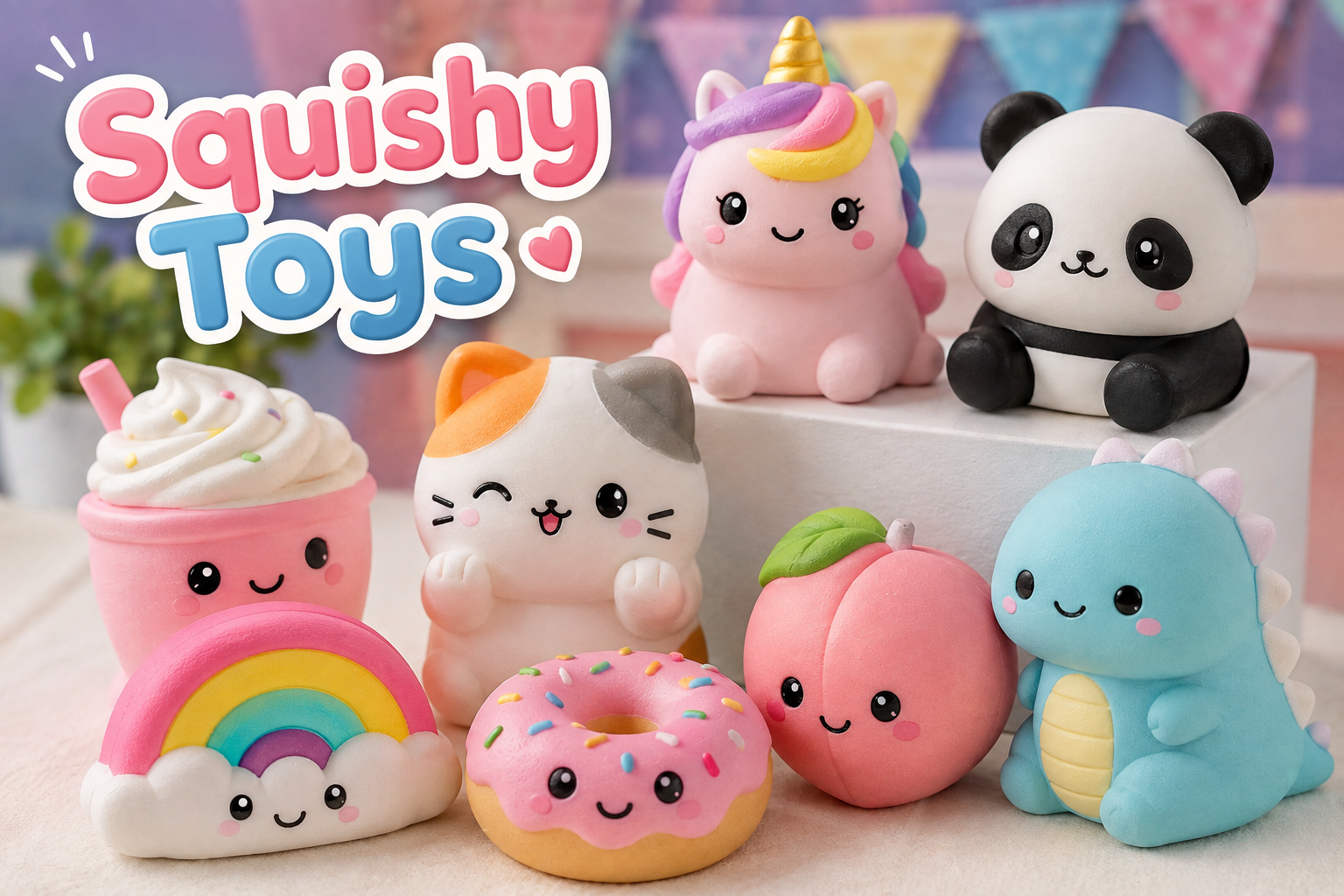
Character Squishies
These feature recognizable cartoon-inspired, animal, or fantasy-style shapes. Their visual appeal makes them especially popular with collectors.
Food-Shaped Squishies
Food designs include miniature versions of items such as:
- Cakes
- Bread
- Fruit
- Donuts
- Ice cream
- Cupcakes
- Pastries
These designs often combine realistic details with an intentionally cute appearance.
Mini Squishies
Miniature versions are small enough to function Squishy toys as desk toys or collectibles. Their small size makes them easy to organize, although very small pieces may not be appropriate for young children.
How to Choose the Right Squishy Toy
Choosing a squishy is less about finding the most expensive option and more about finding one that suits your preferences.
1. Consider the Texture
Think about whether you prefer a very soft, slow-rising texture or something firmer and more resistant.
If possible, checking product information or reviews can help you understand how a particular toy feels before purchasing it.
2. Check the Size
Consider where you plan to keep or use the toy.
A larger squishy may be more comfortable to hold, while a miniature version may be easier to carry and store.
3. Look at the Material
Check the manufacturer’s description for information about the material. This can help you understand how the toy should be handled and cleaned.
Avoid products with unclear safety information, especially when buying toys for children.
4. Choose a Design You Actually Like
Because squishy toys come in so many shapes, appearance is an important part of the experience.
You might prefer:
- Animals
- Food
- Fantasy characters
- Simple geometric designs
- Pastel-colored objects
- Funny or unusual shapes
5. Check the Recommended Age
Always follow the manufacturer’s recommended age range. Some squishies may contain small parts, accessories, or decorations that are unsuitable for younger children.
Squishy Toys vs. Other Fidget Toys
Squishies are just one type of tactile toy. Different fidget toys provide different sensations.
| Toy type | Main interaction | Typical appeal |
|---|---|---|
| Squishy toy | Squeezing | Soft, repetitive tactile sensation |
| Stress ball | Compressing | Simple hand activity |
| Fidget spinner | Spinning | Repetitive rotational movement |
| Fidget cube | Pressing, switching, clicking | Multiple tactile actions |
| Putty | Stretching and molding | Creative manipulation |
There is no universally “best” fidget toy. Personal preference matters most.
Are Squishy Toys Good for Relaxation?
Squishy toys can be an enjoyable way to occupy your hands during a break. Some people like repetitive squeezing because it gives them a simple physical activity to focus on.
However, it is better to think of a squishy as a recreational or sensory toy rather than a guaranteed solution for stress, anxiety, or other mental-health concerns.
If you are feeling overwhelmed, talking with a trusted adult or appropriate support person can be more helpful than relying on a toy alone.
How to Clean Squishy Toys
Keeping a squishy clean is important because the surface can collect dust, oils, and dirt through regular handling.
Before cleaning, check the manufacturer’s care instructions because materials can differ.
For many washable designs, a gentle approach is safest:
- Use a soft, slightly damp cloth.
- Gently wipe the surface.
- Avoid harsh chemicals unless the manufacturer specifically recommends them.
- Do not soak the toy unless its instructions say that it is washable.
- Allow it to dry completely before storing it.
If the surface becomes cracked, sticky, unusually damaged, or starts shedding pieces, it is generally better to stop using the toy.
How to Store Squishy Toys
Proper storage can help keep squishies looking and feeling better.
Keep Them Away From Excessive Heat
High temperatures can affect some foam and plastic materials. Store squishies in a cool, dry place away from direct sunlight and heat sources.
Avoid Crushing Them Under Heavy Objects
Long periods of pressure may change the shape of some squishy toys.
A storage box, drawer, or shelf can provide a simple solution.
Keep Them Clean
Dust and dirt can become more noticeable on soft surfaces. Regular gentle cleaning can help maintain their appearance.
Squishy Toy Safety Tips
Although squishy toys are generally simple recreational products, basic safety precautions are still important.
- Follow the manufacturer’s age recommendations.
- Inspect the toy regularly for damage.
- Do not use a damaged toy that is leaking or breaking apart.
- Keep small squishies and detachable pieces away from very young children.
- Do not intentionally cut, puncture, or modify the toy.
- Follow the manufacturer’s cleaning and storage instructions.
- Wash your hands after handling a toy if its surface becomes dirty.
A toy should also be used for its intended purpose rather than as something to chew, throw, or place near the face.
Are Squishy Toys Worth Buying?
For people who enjoy soft textures, cute designs, or simple tactile activities, squishy toys can be an inexpensive and entertaining addition to a toy collection or desk.
The best choice depends on what matters most to you. Someone interested in collecting may prioritize appearance and unique designs, while someone who simply enjoys squeezing may care more about texture and firmness.
Before buying, compare the material, size, recommended age, design, and care instructions rather than choosing based solely on appearance.
Frequently Asked Questions
What are squishy toys made from?
Many squishy toys are made from flexible foam or other soft synthetic materials. The exact material varies between products, so checking the manufacturer’s description is the best way to identify what a particular toy contains.
What is a slow-rising squishy?
A slow-rising squishy is designed to slowly return toward its original shape after being compressed. The gradual recovery is one of the defining features of this type of toy.
Can squishy toys be washed?
Some can be gently cleaned, but not every squishy is washable. Always check the manufacturer’s care instructions before using water or cleaning products.
How should squishy toys be stored?
Store them somewhere cool, dry, and clean. Keeping them away from direct sunlight, excessive heat, and prolonged heavy pressure can help protect their shape and surface.
Are squishy toys suitable for children?
Suitability depends on the specific product. Always check the manufacturer’s recommended age and inspect the toy for small or detachable components.
What is the difference between a squishy and a stress ball?
Both can be squeezed, but they are designed differently. Squishies often emphasize soft textures, slow recovery, and decorative shapes, while stress balls are generally simpler and designed primarily for repeated compression.
Why do people collect squishy toys?
Collectors may enjoy the designs, variety of shapes, textures, themes, and the process of finding new additions. Some collections focus on particular characters, animals, foods, or color themes.
Conclusion
Squishy toys combine playful designs with a simple hands-on experience, making them appealing to collectors and anyone who enjoys tactile toys. From slow-rising foam designs to miniature food and animal shapes, there is a wide variety to explore.
When choosing one, focus on material, texture, size, design, age recommendations, and care instructions. With sensible handling and proper storage, a good-quality squishy can remain a fun addition to a collection or everyday toy selection.

The Rams vs Chargers matchup brings together two Los Angeles NFL teams with plenty of local interest and plenty to watch heading into the 2026 season. The teams faced each other in the final game of the 2026 preseason on August 27, with the Rams earning a narrow 20-18 victory at SoFi Stadium.
Although preseason results do not count toward the regular-season standings, the game offered an important opportunity for players competing for roster spots and backup roles. It also gave both coaching staffs a final look at their depth before the regular season begins.
The two teams will meet again in a meaningful regular-season game during Week 8 on November 1, 2026, when the Chargers travel to face the Rams.
Rams vs Chargers: Latest Result
The latest meeting ended with the Los Angeles Rams defeating the Los Angeles Chargers 20-18.
The preseason finale was particularly important for younger players and athletes trying to make the final 53-man roster. The Rams finished the preseason unbeaten at 3-0, while the Chargers ended their preseason with a 1-2 record.
The game was not simply about the final score. Several players used their opportunities to strengthen their cases for roster positions before final cuts.
Ty Simpson Makes an Impression
Rams rookie quarterback Ty Simpson was one of the notable performers. He completed 18 of 23 passes and helped guide the Rams’ offense during the game. His preseason performances strengthened rams vs chargers the competition surrounding the team’s backup quarterback position.
For Los Angeles, developing reliable depth behind the starting quarterback is an important part of preparing for a long NFL season.
Chargers Show Late Fight
The Chargers also had positive moments. Quarterback Justin Herbert connected with Quentin Johnston on a 65-yard touchdown pass during his limited appearance.
Later in the game, quarterback D.J. Uiagalelei helped the Chargers stay within striking distance. Running back Greg DesRosiers Jr. also produced an impressive performance, rushing for 118 yards and a touchdown.
The Chargers ultimately fell short after a late fumble ended their final opportunity.
Rams vs Chargers 2026 Schedule
The teams are scheduled to meet twice in 2026: once during the preseason and once during the regular season.
| Game | Date | Location | Result/Status |
|---|---|---|---|
| Preseason | August 27, 2026 | SoFi Stadium | Rams won 20-18 |
| Regular Season, Week 8 | November 1, 2026 | SoFi Stadium | Upcoming |
The regular-season matchup is scheduled for November 1 at 4:05 p.m. ET, with the Chargers listed as the road team.
Why the Regular-Season Matchup Matters
A preseason game and a regular-season game have very different meanings.
The August meeting was primarily an evaluation opportunity. rams vs chargers Coaches could examine young players, backups and roster hopefuls without risking the importance of regular-season standings.
The November meeting will be different.
Division and Playoff Implications
The Rams and Chargers play in different conferences, with the Rams in the NFC and Chargers in the AFC. That means their regular-season meeting does not directly decide a division title.
However, every regular-season victory can become important when teams are competing for playoff positions. A win against another strong Los Angeles roster could also provide momentum during the middle portion of the season.
A Much Different Game Environment
By November, both teams should have a much clearer picture of their starting lineups and overall depth.
Unlike the preseason finale, the regular-season matchup is expected to feature the teams’ established starters and a game plan designed specifically to win rather than simply evaluate personnel.
That makes the November meeting the more significant Rams vs Chargers matchup of 2026.
Key Players to Watch
Several players could have a major influence on the regular-season meeting.
Rams
The Rams will rely on their established offensive and defensive leaders while continuing to develop their younger players. Their strong 3-0 preseason provided encouraging momentum heading into the regular season.
The team’s depth will also be worth monitoring after the Rams reacquired wide receiver Tutu Atwell from Miami in a trade shortly before the preseason finale.
Chargers
For the Chargers, quarterback Justin Herbert remains one of the most important players to watch. His ability to stretch the field can create problems for opposing defenses, as demonstrated by his long touchdown connection with Johnston in the preseason finale.
The Chargers also have an interesting offensive development story after bringing in former Dolphins head coach Mike McDaniel as offensive coordinator.
What the Preseason Game Tells Us
It would be a mistake to treat the 20-18 preseason result as a prediction for November.
Preseason games are designed primarily for evaluation. Starters can receive limited snaps, while younger players often get extended opportunities.
Still, the game provided several useful takeaways:
- The Rams completed a perfect 3-0 preseason.
- Ty Simpson strengthened his case in the Rams’ quarterback competition.
- The Chargers received encouraging performances from rams vs chargers younger players.
- Justin Herbert showed his big-play ability during limited action.
- Both teams gained additional information before final roster decisions.
Rams vs Chargers: Head-to-Head Interest
Because both franchises play their home games at SoFi Stadium, this matchup has a unique local identity.
The teams have also developed a recurring preseason matchup. The 2026 preseason meeting marked their sixth consecutive preseason game against each other.
Their regular-season meetings are less frequent Rams vs Chargers because they belong to different conferences. Their most recent regular-season matchup before 2026 came in Week 17 of the 2022 season, when the Chargers won 31-10.
That history gives the November meeting additional interest, especially because the teams will be facing each other in a game that actually counts toward their 2026 records.
What Fans Should Watch in November
When the teams meet again during the regular season, several areas could determine the outcome.
Quarterback Play
Quarterback efficiency will be crucial. Both teams have quarterbacks capable of producing explosive plays, making passing efficiency and pressure management important factors.
Offensive Line Performance
The battle in the trenches could have a major influence on the game. Protecting the quarterback while creating running lanes can determine how consistently either offense moves the ball.
Turnovers
In a matchup between two competitive NFL teams, turnovers can quickly change momentum. A defensive takeaway or costly offensive mistake could have a much bigger impact in the regular season than it did during the preseason.
Red-Zone Efficiency
Moving the ball between the 20-yard lines is only part of the challenge. Converting drives into touchdowns rather than field goals can become decisive in a close game.
Where Is the Rams vs Chargers Game Being Played?
Both teams share SoFi Stadium in Inglewood, California, which creates an unusual situation for an NFL matchup.
The 2026 regular-season meeting is scheduled at SoFi Stadium with the Chargers designated as the visiting team.
Because the venue is shared, the matchup does not involve the traditional home-field travel difference seen in most NFL games.
Frequently Asked Questions
When did the Rams last play the Chargers?
The latest meeting took place on August 27, 2026, during the final week of the NFL preseason. The Rams won 20-18.
When do the Rams play the Chargers in the 2026 regular season?
The Rams and Chargers are scheduled to meet on November 1, 2026, during Week 8 of the regular season.
Who won Rams vs Chargers in the 2026 preseason?
The Rams won the 2026 preseason matchup 20-18.
Do the Rams and Chargers share a stadium?
Yes. Both Los Angeles teams play at SoFi Stadium in Inglewood, California.
Are the Rams and Chargers in the same NFL division?
No. The Rams compete in the NFC, while the Chargers compete in the AFC. Their regular-season meetings therefore occur less frequently than games between teams in the same conference or division.
Does the preseason Rams vs Chargers result count toward the regular-season record?
No. The preseason result does not affect either team’s regular-season standings.
Conclusion
The latest Rams vs Chargers matchup ended with a 20-18 Rams victory, but the preseason finale was about much more than the final score. Young players received valuable opportunities, quarterback depth was evaluated, and both teams gained information before the regular season.
The real test comes on November 1, 2026, when the Chargers and Rams meet again in Week 8. That game will count toward the standings and should provide a much clearer comparison between the two Los Angeles teams.
For fans following the matchup, the preseason finale offered an interesting preview—but the regular-season meeting is the one that will truly matter.
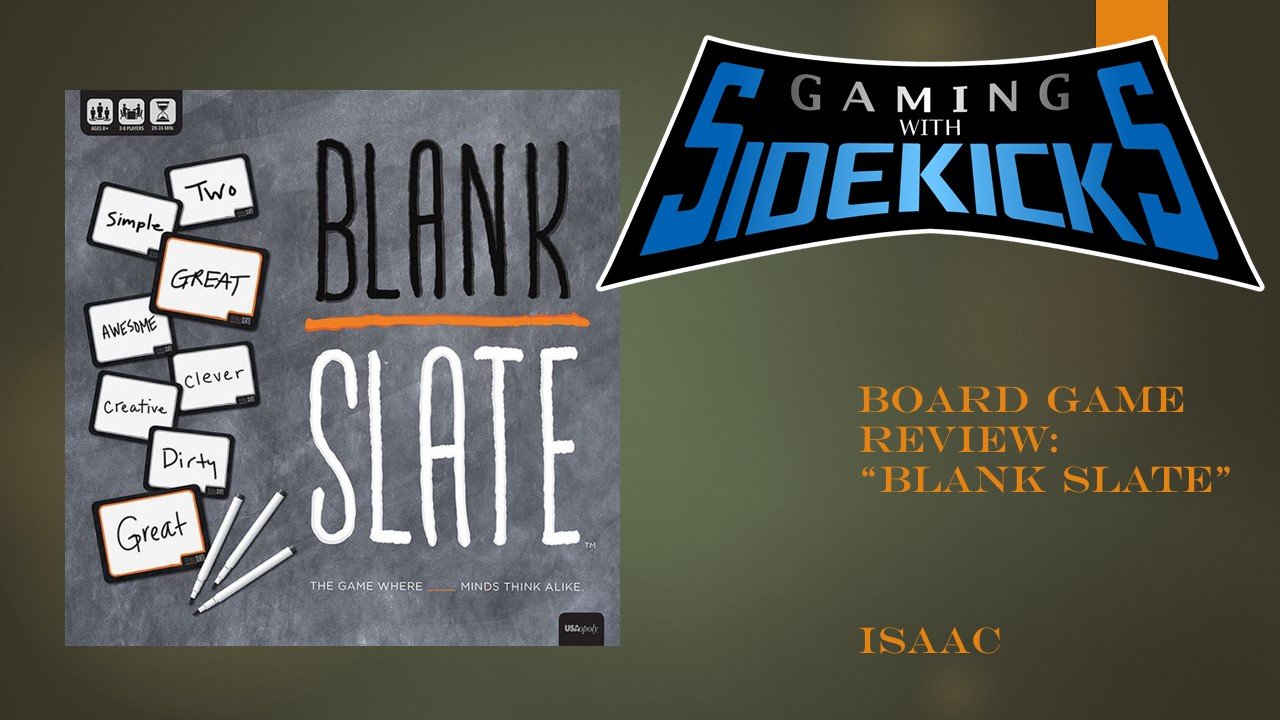
If you enjoy word games, quick challenges, and discovering how similarly your friends think, the blank slate game is an excellent choice for a casual game night. Instead of testing players on trivia or requiring complicated strategies, it asks everyone to complete a word cue and predict which answer another player is likely to choose.
The concept is simple: a word or phrase with a blank space is revealed, everyone secretly writes an answer, and players earn points when their answer matches someone else’s. The challenge is finding an answer that is not only appropriate but also likely to be chosen by exactly one other person.
The standard game is designed for 3–8 players, is recommended for ages 8 and up, and typically takes around 20–35 minutes to play. The official game includes 250 double-sided Word Cue cards, providing more than 500 cues, along with dry-erase slates, markers, a scoreboard, and rules.
What Is Blank Slate Game?
Blank Slate is a word-association party game built around a simple question: Can you think like another player?
Each round presents a Word Cue containing a blank. Players independently decide what word should fill that blank. However, simply finding a sensible answer is not enough. Players want to choose the answer they believe exactly one other person will also write.
That creates an interesting balance between obvious and unusual answers. A very common answer might be selected by several players and earn fewer points, while an unusual answer may score highly if exactly one other person has the same idea.
Because the game relies on association and prediction rather than specialized knowledge, it can work well for families, friends, and mixed groups of casual players.
How to Play Blank Slate
The blank slate game is easy to learn, even for players who have never played a word association game before.
The basic gameplay is easy to learn.
1. Set Up the Game
Place the scoreboard and Word Cue cards on the table. Each player chooses a dry-erase slate and marker and adds their name to the appropriate area of the scoreboard.
One person becomes the first Selector, who will choose the opening cue card.
2. Reveal a Word Cue
The Selector takes a card and reads the Word Cue aloud. The card contains a word or phrase that players must complete.
For example, imagine a cue such as:
SUN ____
Players might independently think of answers such as:
- Shine
- Flower
- Screen
- Light
The actual goal is not simply to choose the most obvious word. Players should consider what another person at the table might write.
3. Write an Answer Secretly
Everyone writes their answer on their slate without showing anyone else.
This is where the social element becomes important. You are effectively trying to predict another player’s thought process while avoiding an answer that too many people will choose.
4. Reveal the Answers
Once everyone has finished, players reveal their answers.
Matching answers are identified, and the appropriate points are awarded.
5. Continue Playing
After scoring, the cue card is moved aside and the Selector role passes to the next player. The process continues until someone reaches the winning score.
How Does Blank Slate Scoring Work?
The scoring system rewards players for matching with exactly one other player.
| Match | Points |
|---|---|
| Exactly two players have the same answer | 3 points each |
| More than two players have the same answer | 1 point each |
| No matching answer | 0 points |
The first player to reach 25 points wins the standard game.
This scoring system is what makes the game more interesting than an ordinary fill-in-the-blank activity. You are constantly deciding whether an answer is too obvious, too unusual, or just right.
What Makes the Game Fun?
The blank slate game becomes especially fun when players try to predict each other’s answers.
It Is Easy to Learn
The core gameplay can be explained quickly: read the cue, write an answer, reveal the answers, and score matches.
There is no complicated board setup or lengthy character-building system. That makes it particularly convenient when a group wants to start playing quickly.
It Tests How Well You Know People
The strongest answers often depend on understanding the people sitting around the table.
You may know that one friend tends to choose practical answers while another always thinks of something funny. Those observations can influence your decisions.
Every Group Produces Different Answers
The same cue can generate completely different answers depending on who is playing.
A family might approach a cue differently from a group of longtime friends, which helps keep repeated sessions from feeling exactly the same.
It Encourages Conversation
The reveal phase can produce some of the funniest moments blank slate game because players discover who was thinking alike and who interpreted the cue completely differently.
Tips for Getting Better at Blank Slate
Winning the blank slate game requires a mix of creativity, observation, and understanding how other players think.
Winning is not just about vocabulary. A little social awareness can make a difference.
Think About the Group
Before writing your answer, consider who else is playing.
Ask yourself:
- What would the most predictable player choose?
- Which person might have the same association as me?
- Is my answer too obvious?
- Would a slightly different word create a better chance of matching one person?
Avoid Automatically Choosing the First Word You Think Of
Your first idea may be a common answer that several players choose.
Take a moment to consider alternatives. Sometimes the second or third reasonable association is more likely to match exactly one person.
Pay Attention to Previous Rounds
Players can develop recognizable patterns during a game.
If someone repeatedly chooses unusual but clever answers, you can start taking their style into account when making your own choices.
Don’t Overthink Every Cue
Trying to analyze every possible answer can make a simple game unnecessarily complicated.
The best approach is usually to think about the cue, consider the people playing, and make a confident choice.
Don’t Be Afraid of Unusual Answers
An unconventional answer can sometimes be exactly what another player is thinking. The official rules even encourage players not to be afraid of fitting answers that are weird or silly.
What Comes in the Blank Slate Box?
The standard version includes several reusable components:
- 250 double-sided Word Cue cards
- More than 500 total cues
- 8 dry-erase slates
- 8 dry-erase markers with erasers
- A dry-erase scoreboard
- Rulebook
The official product information lists the game for 3–8 players, with an approximate playing time of 20–35 minutes.
Who Should Play Blank Slate?
This word association game is particularly suitable for people who enjoy:
- Family game nights
- Party games
- Word association challenges
- Quick tabletop games
- Social games
- Casual competitions
- Games that require creativity rather than trivia knowledge
It can also be a useful option when a group contains both experienced board-game players and people who rarely play tabletop games because the basic rules are straightforward.
Blank Slate vs. Traditional Word Games
Unlike many traditional word games, the blank slate game focuses on matching another player’s thinking.
Traditional word games often focus on vocabulary, spelling, definitions, or building words. Blank Slate takes a different approach.
The important question is not simply:
“What word fits?”
Instead, players are also thinking:
“What word will someone else choose?”
That second layer gives the game its social character. Success depends partly on word association and partly on understanding the personalities and habits of the other players.
Can You Create House Rules?
Groups can experiment with their own variations once they understand the standard rules.
For example, players might agree before a session to change the amount of time available for answering or introduce other small variations. The official rules specifically mention house-rule experimentation as an option.
However, keeping the original scoring system for your first few games is usually the easiest way to learn how the game is intended to work.
Frequently Asked Questions
How many people can play Blank Slate?
The standard version supports 3 to 8 players.
What age is Blank Slate suitable for?
The official product listing recommends the game for ages 8 and up.
How long does a game take?
A typical session takes approximately 20–35 minutes, depending on the group and pace of play.
How do you win the blank slate game?
Players earn points by matching their answers with other players. A match between exactly two players earns 3 points each, while a word chosen by more than two players earns 1 point each. The first player to reach 25 points wins.
Is Blank Slate difficult to learn?
No. The basic process is very simple: reveal a cue, secretly write an answer, reveal the answers, and score the matches.
What makes Blank Slate different from other word games?
Its main twist is that players are trying to match one other person’s answer, rather than simply finding the correct answer. This combines word association with social prediction.
Can children play Blank Slate?
The standard game is recommended for ages 8 and up, so it can be suitable for family groups with children who meet the recommended age.
Conclusion
The blank slate game offers a simple way to combine creativity, word association, and social strategy.
The blank slate game turns a simple fill-in-the-blank concept into a social guessing challenge. Its straightforward rules make it easy to introduce, while the scoring system adds enough strategy to keep players thinking about their choices.
The real fun comes from discovering how closely—or unexpectedly—your answers match those of your friends and family. If you enjoy word association, quick party games, and games where understanding the people around you matters, Blank Slate can be a strong addition to a game-night collection.

Digital Marketing Strategies That Support Sustainable Business Growth

Newsweek com A Guide to the News Website, Its Content, and What Readers Can Find

Noah Kahan Merch A Complete Guide to Official Merchandise and Fan Favorites

Perdita Weeks Disability: Facts, Rumors, and the Truth

Chris Rea’s Music Career: Hits, Albums, Legacy

Movierulz 2025 Explained: Risks, Safety, and Legality
-
 Business10 months ago
Perdita Weeks Disability: Facts, Rumors, and the Truth
-
Business10 months ago
Chris Rea’s Music Career: Hits, Albums, Legacy
-
Business10 months ago
Movierulz 2025 Explained: Risks, Safety, and Legality
-

 Celebrity9 months ago
Jeffrey Alan Marks Ross Cassidy Split Explained
-

 Celebrity10 months ago
Arlene Silver Net Worth in 2024: Career and Earnings
-
 Business10 months ago
Doge HHS Migrant Housing Contract: What It Means Now
-

 Celebrity10 months ago
Melissa Esplana: Life, Career, and Personal Story
-

 Celebrity9 months ago
How Old Is Nastya? Her Real Age Explained Clearly